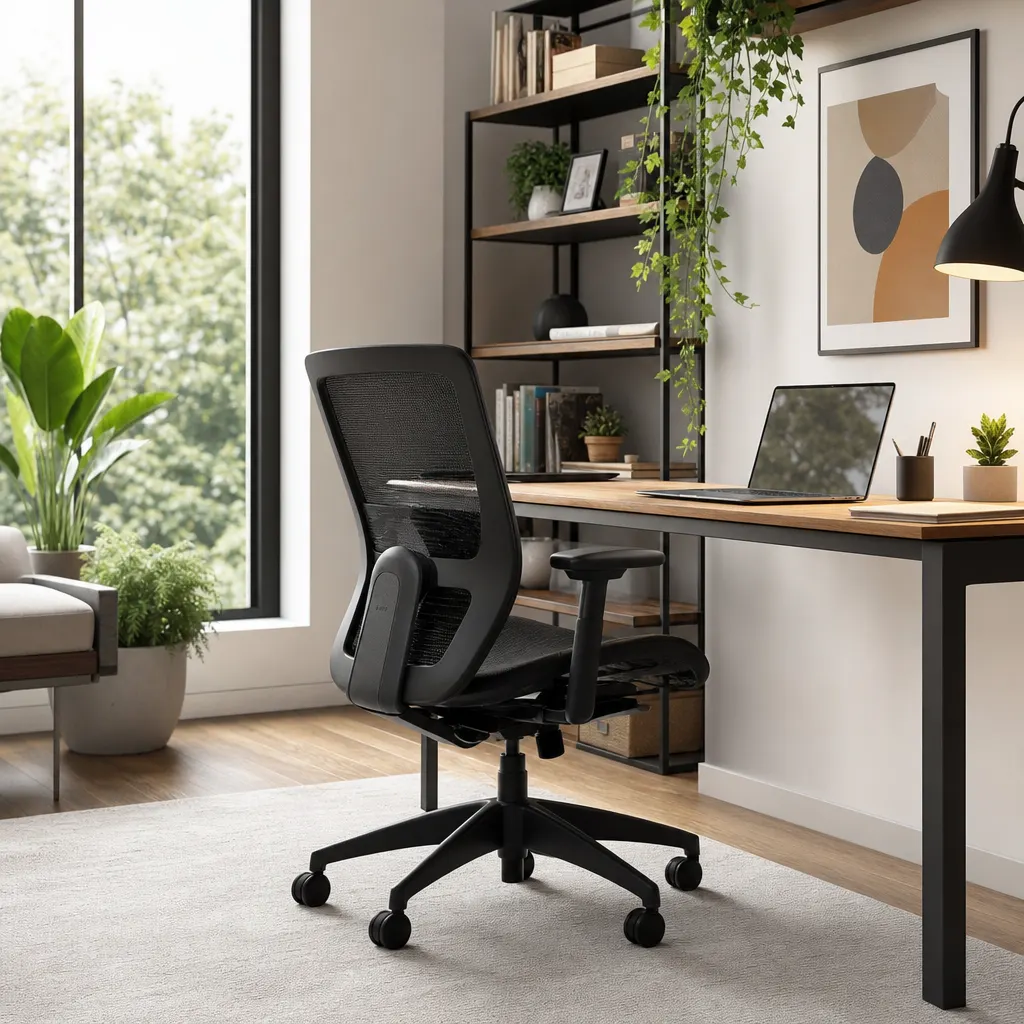
The best budget ergonomic chair for remote work is usually a used commercial task chair or a new mesh chair with adjustable height, firm lumbar support, and armrests that do not force your shoulders upward. If you are building a full tight-budget setup, put the chair first, then use a budget ergonomic products checklist to decide what is left for a laptop stand, foot rest, keyboard, and lighting.
Quick answer: spend most of the chair budget on adjustability, not padding. A $60-$100 used Steelcase, Haworth, Herman Miller, or HON task chair often beats a brand-new chair with thick cushions but fixed arms and weak lumbar support. If you need to buy new, start with a breathable mesh task chair and plan for a foot rest or lumbar pillow only if your body actually needs the extra support.Disclosure: This guide includes Amazon affiliate links. If you buy through those links, we may earn a commission at no extra cost to you.
What to Look for in a Budget Ergonomic Chair
When you're shopping on a budget, it's important to focus on the features that matter most. Here are the non-negotiables:
- Adjustable Height: This is a basic requirement. Your feet should be able to rest flat on the floor with your knees at a 90-degree angle.
- Solid Lumbar Support: The chair should have a curved backrest that supports the natural curve of your lower back (the lumbar spine). Some budget models even offer adjustable lumbar support, which is a huge plus.
- Breathable Material: Whether it's a mesh back or breathable fabric, good airflow is key to staying comfortable during long work sessions. It prevents you from overheating and sticking to your chair.
- Swivel and Casters: The ability to move around smoothly is essential for reaching different parts of your desk without straining.
Budget Chair Feature Comparison
| Chair path | Best for | Watch out for | Budget fit |
|---|---|---|---|
| Used commercial task chair | All-day remote workers who want the most support per dollar | Worn cylinders, broken arm pads, damaged mesh, or missing lumbar parts | Best value if you can inspect locally |
| New mesh task chair | Renters and apartment workers who want breathable support with easy delivery | Fixed armrests, shallow seats, and fake "ergonomic" claims | Good under $150 if adjustability is real |
| Padded executive chair | Shorter work sessions or people who prefer a cushioned feel | Heat buildup, weak lumbar shape, and bulky arms that hit the desk | Acceptable if posture still feels neutral |
| Dining chair plus cushion | Temporary setups while you save for a real chair | No height adjustment, no recline, and poor hip support | Emergency-only option |
Before buying, measure your desk height and seat-height needs. If your chair has to be raised so high that your feet dangle, keep the chair where your elbows and wrists feel neutral and add a work from home foot rest rather than lowering the chair into a bad typing position.
Top Picks for Ergonomic Chairs on a Budget
While specific models change frequently, certain styles and brands consistently offer great value. Instead of recommending one specific chair that might go out of stock, we recommend searching for these features.
- Used commercial office chair: Start with local office-liquidation listings, Facebook Marketplace, Craigslist, or reuse stores. Look for adjustable seat height, working recline tension, usable arm pads, and a backrest that meets your lower back without a pillow. This is the strongest path if your total setup budget is close to the under-$200 ergonomic setup plan.
- The Classic Mesh-Back Task Chair: This is the most popular new-chair style for a reason. It's lightweight, breathable, and provides better airflow than most padded chairs. Look for models that emphasize lumbar support and offer adjustable armrests. A practical starting point is to browse for ergonomic mesh office chairs and compare seat-height range, return policy, and review photos instead of only star ratings.
- The Padded Faux Leather Executive: If you prefer a more cushioned feel, a faux leather chair can be comfortable for shorter work blocks. Ensure the one you choose has clear ergonomic contouring, especially for the lower back. These can run warmer than mesh and may have fixed arms, so check dimensions carefully before browsing affordable ergonomic executive chairs.
Chair Fit Checklist Before You Buy
Use this quick test before keeping any budget chair:
- Feet: Your feet are flat on the floor or supported by a foot rest.
- Knees: Your knees sit near a 90-degree angle without pressure behind the thighs.
- Hips: Your hips sit slightly higher than your knees, not sunk deep into soft padding.
- Back: The lumbar curve touches your lower back without pushing you forward.
- Shoulders: Armrests support relaxed shoulders or move out of the way completely.
- Desk fit: The chair slides under your desk without forcing your elbows backward.
If a chair misses more than two of these checks, do not spend the rest of your budget trying to fix it with accessories. Put that money toward a better used chair or a more adjustable task chair instead.
Elevate Your Comfort with Smart Accessories
Sometimes, a great budget chair can become nearly perfect with one or two small additions. These accessories can bridge the gap between a budget model and a high-end one.
- Lumbar Support Pillows: If your chosen chair's lumbar support isn't quite right, adding a dedicated pillow can make a world of difference. An adjustable lumbar support pillow can be moved to the exact right spot for your spine.
- Ergonomic Footrests: Dangling feet can cause poor circulation and hip pressure. An under-desk footrest helps maintain that 90-degree knee angle, especially if you are shorter or using a fixed-height desk.
- External keyboard and mouse: If your chair finally puts your arms in a good position, do not ruin it by hunching over a laptop keyboard. Pair the chair with a laptop stand and separate input devices.
Building a comfortable and productive home office is a marathon, not a sprint. By making a smart, informed choice on a budget-friendly ergonomic chair, you're setting yourself up for success and a healthier work life for years to come.
If your total setup budget is closer to $200 than $300, start with the best ergonomic products for remote workers on tight budgets so you can decide how much to reserve for the chair versus a laptop stand, foot rest, keyboard, and lighting. The chair should usually get the largest slice of that budget because it affects every hour you spend at the desk.