You do not need a whole-house generator to survive most workday outages. You need a calm 30- to 120-minute bridge for meetings, uploads, and deadlines. Pair this guide with our portable hotspot backup internet setup and you will cover the two failures that ruin remote work fastest: power and connectivity.
What Needs Backup Power First
Back up the boring gear before the shiny gear. Your modem and router usually use much less power than a desktop computer, but they decide whether your calls stay alive. A basic UPS battery backup can often keep network gear running long enough to finish a meeting or move to hotspot.
For a simple home office, prioritize this order:
- Modem and router
- Laptop charger or dock
- External monitor, if needed for active work
- Desk lamp
- Phone charger
Do not put space heaters, laser printers, coffee makers, or large appliances on your office UPS. They drain batteries fast and may overload smaller units. The goal is continuity, not comfort.
If you use a desktop PC, your priorities change. A UPS gives you time to save files and shut down cleanly, but it may not run a powerful workstation for long. Check the wattage of your tower, monitor, and accessories before assuming a small unit is enough.
UPS vs Portable Power Station
A UPS and a portable power station solve related but different problems. A UPS sits between the wall and your gear. When power drops, it switches over almost instantly, which protects routers, desktops, monitors, and network-attached storage from sudden shutdowns.
A portable power station is more flexible. It can charge laptops, phones, lights, and small electronics for longer periods, but most models are not meant to act like instant switchover devices unless they specifically support UPS or EPS mode. A portable power station is better for multi-hour outages, storm days, travel, and shared household backup.
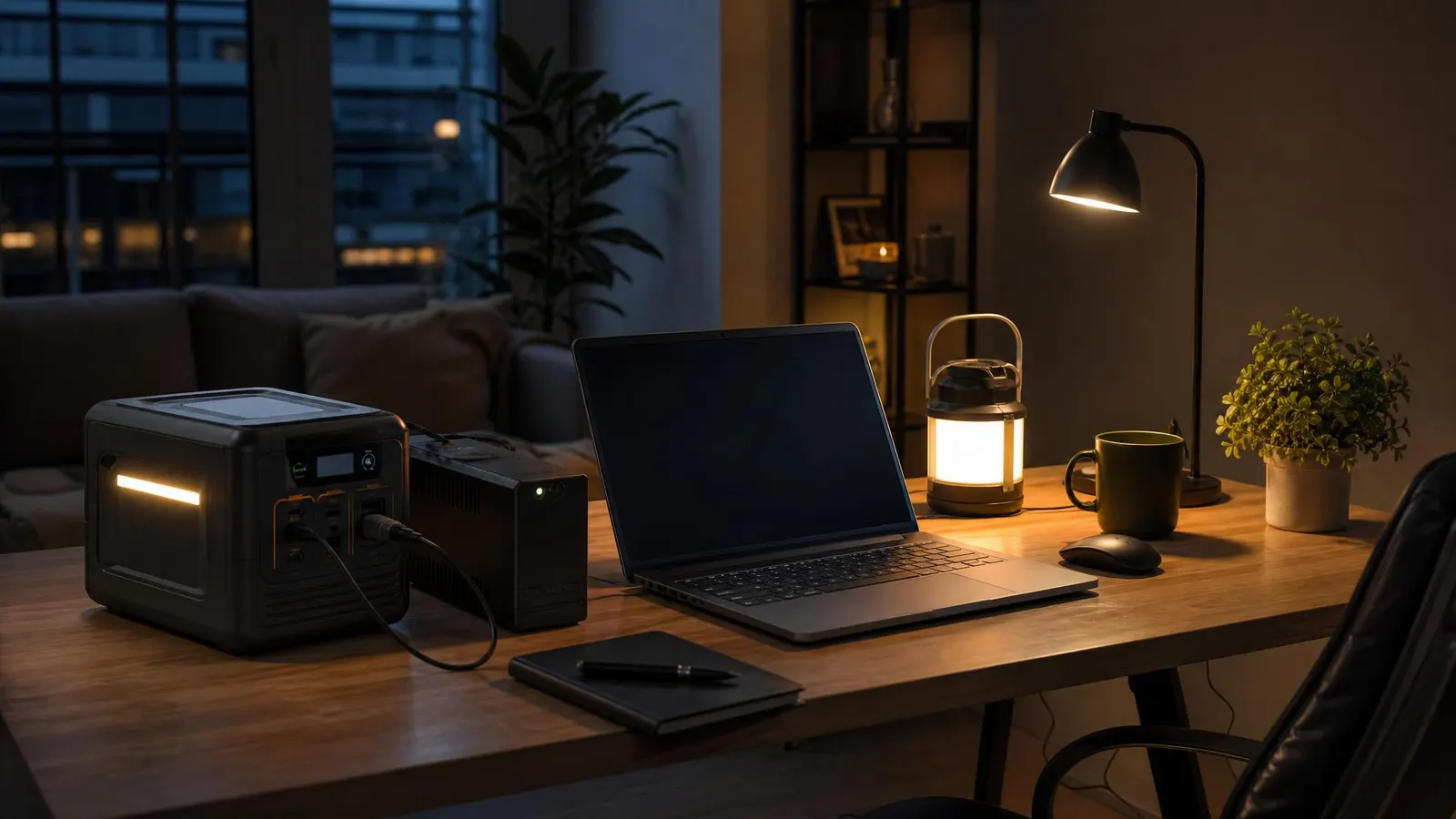
For remote workers, the cleanest setup is both:
- UPS: always plugged in, dedicated to modem, router, and key desk gear
- Power station: charged nearby for laptops, phones, lights, and longer outages
If you only buy one, choose based on your risk. Frequent short outages and flickers point to a UPS. Longer storm outages point to a power station. The U.S. Department of Energy has a useful overview of power outage preparation if you want broader household planning context.
How Much Runtime Do You Need?
Runtime depends on watts, not vibes. A router and modem might use 15-30 watts together. A laptop charger may pull 45-100 watts while charging. A monitor can add 20-60 watts. A desktop workstation can jump far higher.
Use this simple estimate:
Battery watt-hours divided by device watts equals rough hours of runtime.
A 300Wh power station running 60 watts of gear might last around five hours before efficiency losses. In real life, expect less. Batteries lose capacity over time, inverters waste some energy, and devices spike above their average draw.
For most home offices:
- 30 minutes: enough to finish a call and save work
- 60 minutes: enough for common neighborhood outages
- 2-4 hours: useful during storms or unreliable buildings
- Full day: expensive and usually better handled with a mix of battery, hotspot, coworking, or relocation
A plug-in electricity usage meter helps if your setup is complicated. Measure your router, monitor, dock, and desktop during a normal work session, then size the battery from real numbers.
Setup Checklist for Outage Days
Set up backup power before the first outage, not during it. Label the UPS outlets so only essential gear gets plugged in. Many UPS units have both battery-backed outlets and surge-only outlets, and mixing them up is a common mistake.
Charge your power station monthly and store the charging cable with it. Keep a USB-C laptop car charger in your bag if you sometimes work from a car or shared space during outages.
Create a short outage routine:
- Turn off nonessential monitors and lights.
- Switch laptop to battery saver mode.
- Pause cloud backups and large downloads.
- Move modem and router to UPS power if they are not already there.
- Join calls with video off if runtime is uncertain.
- Message your team if you are moving to hotspot or relocating.
Test the whole setup on purpose. Unplug the UPS from the wall, confirm the router stays online, join a test call, and check how fast the battery percentage drops. A ten-minute test teaches more than a product page.
FAQ
Do remote workers really need a UPS?
Yes, if dropped calls, corrupted files, or router reboots would create real work problems. A UPS is most valuable for modem and router backup, desktop shutdown time, and protection from quick power flickers.
Can a portable power station replace a UPS?
Sometimes, but only if the model supports fast pass-through or UPS-style operation and your devices tolerate the switch. For most people, a dedicated UPS for network gear is simpler and safer.
How often should I test backup power?
Test every three to six months, and before storm season if your area has predictable weather risk. Also test after adding new gear, because one extra monitor or dock can change runtime.
Bottom Line
Remote work backup power should be practical, not dramatic. Keep the internet alive, give your laptop enough time to finish urgent work, and avoid plugging unnecessary gear into the battery. A small UPS plus a charged power station covers most home-office outages without turning your desk into a utility closet.